


WhatCable Pro is a deep USB-C diagnostics tool designed specifically for Apple Silicon Macs running macOS 14+. While the free version identifies basic cable capabilities, the Pro tier offers advanced, real-time troubleshooting directly from IOKit data—requiring no extra software or root access.
- Download Link
- Supported Operation Systems
- Features
- Screenshots
- Whats new?
- macOS 14.0 or later
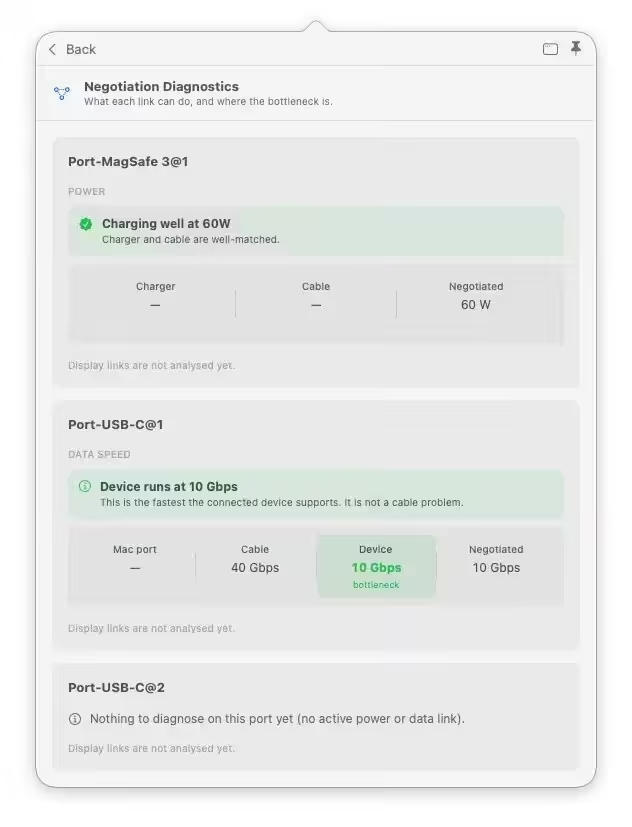
- Negotiation Diagnostics: Easily spot bottlenecks by comparing what your Mac port, cable, and connected device support side-by-side.
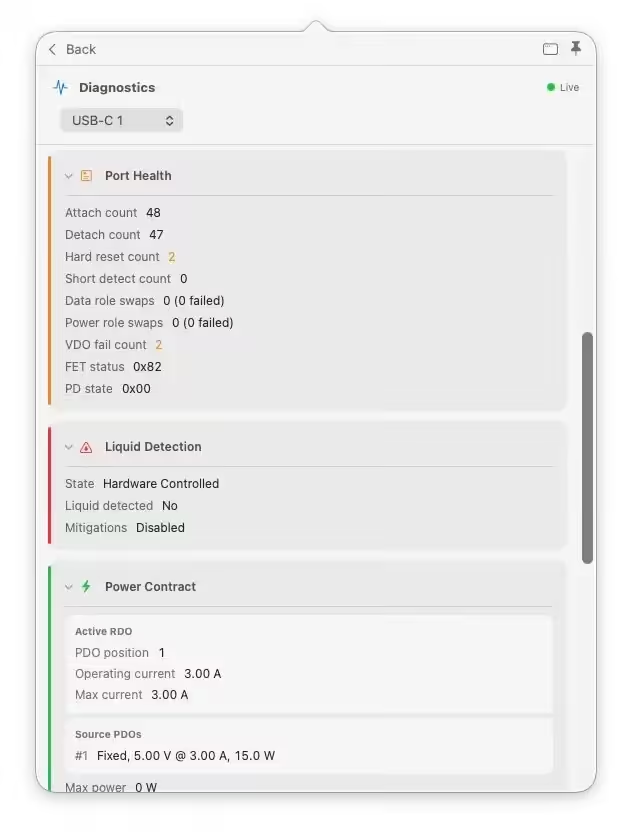
- Live Power Metering: Displays real-time wattage, voltage, and amperage per port, updating every 2 seconds.
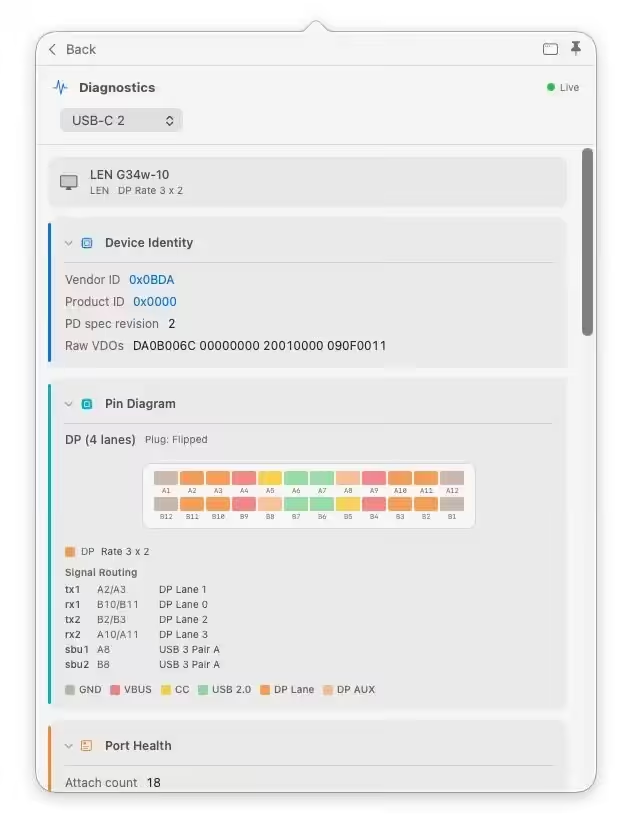
- Hardware & Port Health: Tracks lifetime port errors, resets, and monitors liquid detection (LDCM) sensors.
- Advanced Insights: Offers Power Delivery (PD) contract inspection, cable resistance estimation, and
- DisplayPort Alt Mode lane mapping.
- Developer Friendly: Includes a CLI monitor mode (whatcable –monitor) and desktop widgets for quick tracking.
- Display Diagnostics no longer reads compressed (DSC) modes as a refresh-rate fault. On displays that genuinely need compression to reach their best mode, like 4K120 over DisplayPort 1.4 or 5K60 on a Studio Display, the diagnostic was warning “monitor can do more than the link is carrying” and pointing at the resolution or refresh rate setting. It now recognises when the picture is reaching the display through compression and calls it out as a positive verdict, “running compressed (DSC) to fit through the link”, with no warning. Driven by the live on-screen mode and the link’s actual bandwidth, and accounts for 10-bit / HDR colour modes so an HDR display isn’t mistaken for DSC. Behind the scenes, this is the empirical case (DSC provably active right now); the existing “at the DisplayPort ceiling” carve-out from v0.21 still handles the inferred case.
- Built-in HDMI port label matches across the app. On Macs with a native HDMI port (M3 Pro/Max, M4, M5 MacBook Pros and the Mac mini / Studio), the main view and Display Diagnostics were showing different port numbers for the same physical connection: the main view called it “Built-in HDMI port 1”, while Display Diagnostics called it “HDMI port 2”. Two different IOKit fields, neither path knew about the other. Now both surfaces agree. Thanks to @jimmyorz on issue #362.



Show 1 comment